
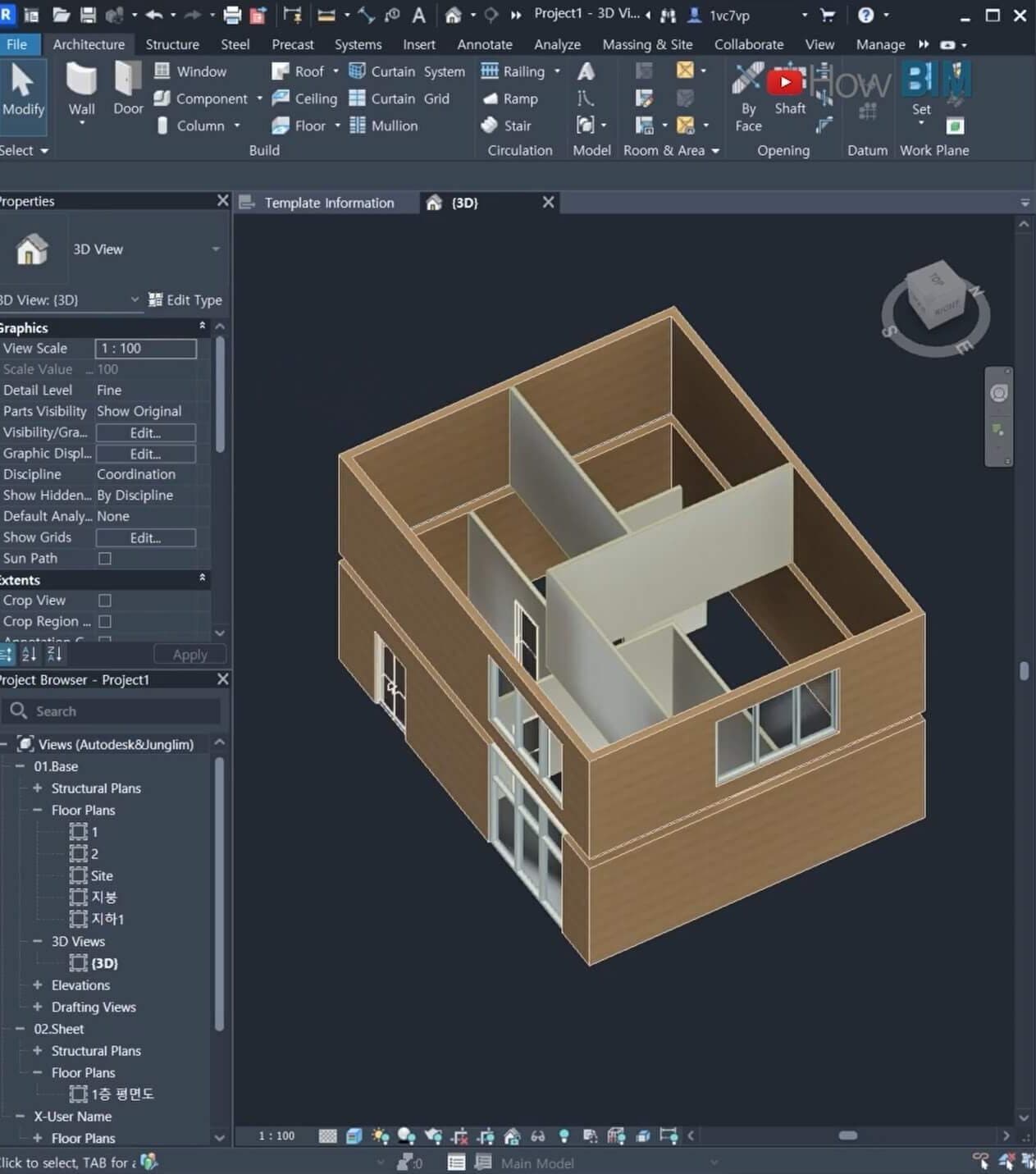
"Guys, this is a big deal."
I kept thinking it couldn't be real. Then it was. AI has started doing 3D modeling instead of people.
I didn't believe it at first. After seeing it myself and testing it… I had to admit it.
This is how I hooked Claude AI up to Revit and asked it to model a house. It's still an early version, and a lot is missing, but I could feel it: "AI has actually started doing architectural design."
Claude, draw the house you want to live in
-
"Claude, what kind of house do you want to live in?"
-
"Can you model that in Revit?"
After I sent those prompts, Claude said it wanted a house that felt close to nature and still modern and comfortable. When I approved the action, rectangular walls started to appear right away.
It was a surprising moment. I had only imagined this before. I didn't think "the age of modeling by talking" would show up this fast.
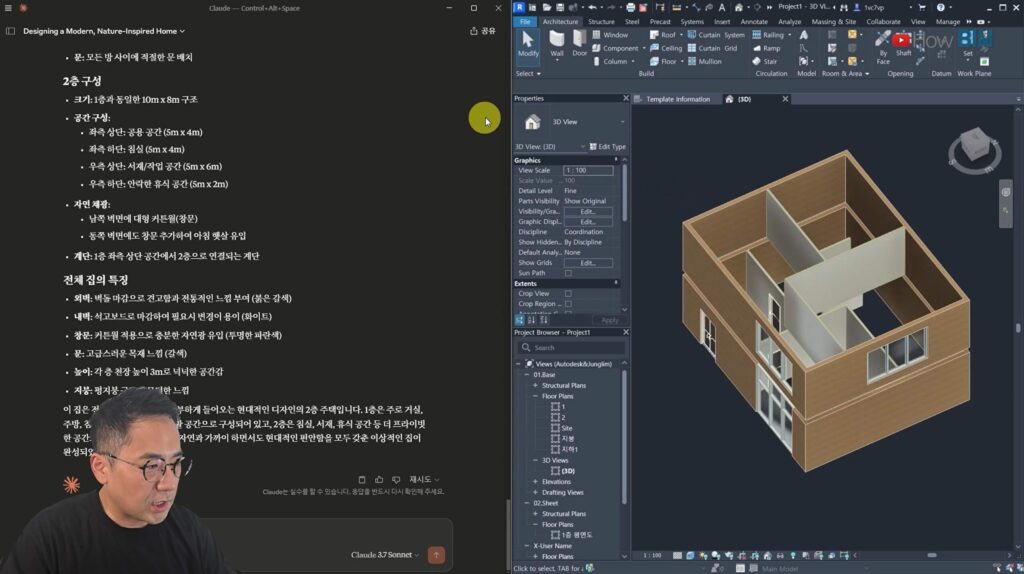
How far can AI modeling go?
Can it make a two-story structure? What about floors? I kept testing.
It's not perfect yet. There are errors, and some of the generated model is messy. The important part is this: the possibility is already open.
LLMs like Claude will keep being updated, and the MCP setup that connects to Revit will keep improving.
Before long, I am sure we will reach a time when
-
"you just talk to the AI"
-
and everything from 3D modeling to drawings and automated design happens automatically.
Want to try it yourself?
The setup is not as hard as it looks. In short:
-
Download the MCP installer (for Revit 2024)
-
Install Revit 2024 (from Autodesk)
-
Set up MCP with commands (npm install, npm run build)
-
Install the Claude desktop app and edit the settings (connect the MCP path in developer mode)
-
Check that the Revit add-in is installed (open Revit and confirm MCP appears on the Add-in tab)
Then open Revit and tell Claude, "Model a house!"
The free version has usage limits, so it is best used for testing.
It is still rough, but it is moving too fast
There are still many errors, and the quality is low. Floors may not generate properly, and the structure can look wrong.
What matters is the direction. AI can work through the night. We only have to bring the ideas.
Working with AI is no longer optional. I felt this clearly: it is not about "competing with AI." It is about "using AI like a friend."
Closing
At first I was afraid. I wondered, "Is this going to take my work away?"
But the people who survive will be the ones who ask how to use this in their own work. What did you think after reading this? Drop a comment. I want to hear it.
This is HowBIM. Hope you have a good one.
[Links]
HowBIM #Revit #MCP #ClaudeAI #AI modeling #smart construction #BIM #3D modeling #construction automation #AI design #digital construction